
Instant Answers to Frequently Asked Questions

Get quick and clear answers to the most common questions about Shpper, shipping, and shopping on our platform.

FAQ questions displayed by a diverse team

Top asked questions as a buyer

How do I create an Order?
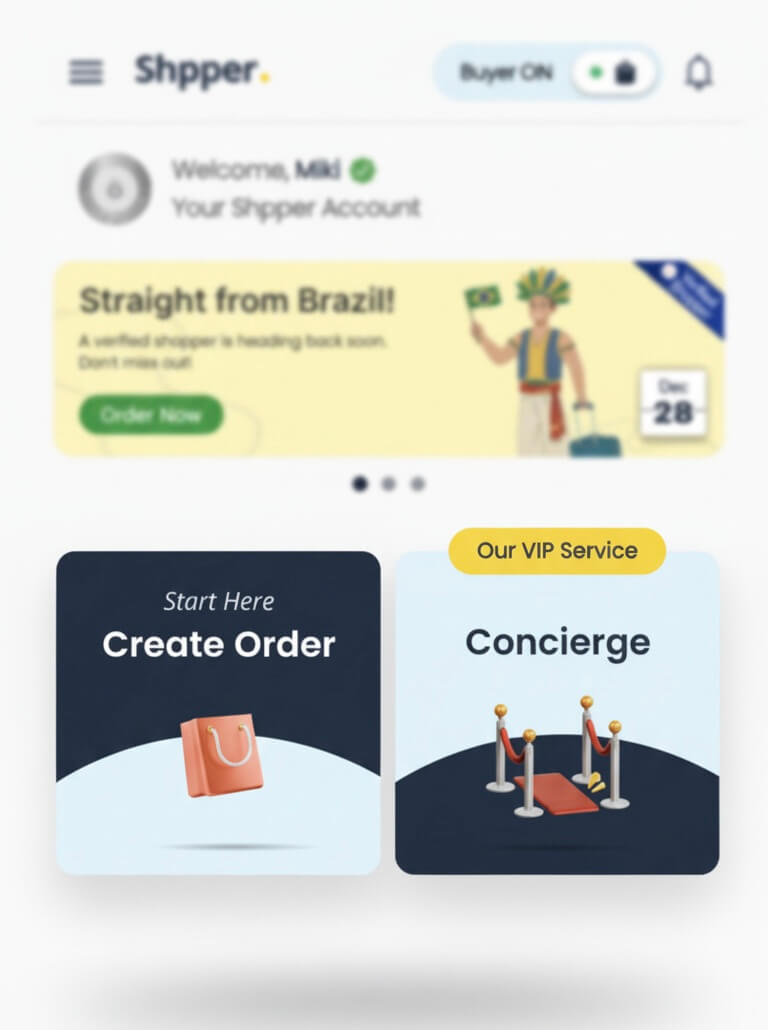
After you create an account you will be able to create an order in the homepage under “create order” or if it’s an luxury or special request you’ll have the option “concierge”

How do i creat order

All major credit and debit cards, Apple pay and Google pay

We can’t guarantee an exact delivery date, as shipping depends on the traveller’s return. Once the traveller has returned, the status is updated in the app and we schedule pickup and delivery to the customer. We aim to deliver the item as quickly as possible-usually within 1-3 days after the traveller returns.

Yes, you can track your order directly in the app and receive notifications at each stage of the process:

  • “On the way” – The traveller has secured the item and is returning from the trip.

  • “Landed” – The traveller has successfully returned from the trip.

  • “Pickup scheduled” – Our delivery team has scheduled a pickup from the traveller.

  • “Handed over” – The item has been picked up and is now with our team. The team will contact the buyer to arrange final delivery details.

  • “Delivered” – The item has been successfully delivered to the buyer.

yes within 7 days after the delivery a return can be issued by contacting our team, giving a valid and accepted reason.

Yes, you can send multiple requests at the same time-either for different items or the same item across multiple trips. If you send a request to one specific trip and it doesn’t receive an offer within 60 minutes, the request will automatically be published to all travellers going to your selected destination.

Our Concierge Service is designed for special requests, such as luxury or high value items, extra-fragile products, or when you simply need help with coordination or customised shopping. This service connects you directly with our team, who will assist you in sourcing and managing your request, without the need to communicate directly with travellers.

Yes as a buyer you can request for cancellation in the app just write the reason and the Admin or traveler will have to accept it.

How to cancel

Personal Shoppers are registered as travellers in the app and receive their earnings directly through their traveller account. The earnings are agreed upon at the start of each order, when the buyer and traveller confirm the processing fee for sourcing and delivering the item(s).

Top asked questions as a Traveler

There is no fixed earning amount. Earnings depend on what the buyer and traveller agree on for each request. The minimum earning per trip starts at 20 AED, with no maximum limit.

Once the item has been delivered to the customer, the total amount-including the item cost and your commission will be released into the wallet in the app.

In the app, switch to your Traveller account and tap “Requests” in the menu bar to view all your direct requests. You can also access them through Request Chats in the chat section.

Yes. Once the funds are released to your wallet, you can withdraw your earnings to your bank account by providing your IBAN number.

You can explain that to the buyer in the chat and cancel the order. If Buyer is online you can ask about alternative products.

Differences in price can be adjusted after the purchase, provide receipt and send a payment request to the buyer in the chat or issue refund. No item will be delivered from our team with insignificant funds.

Your Global Personal Shopper